
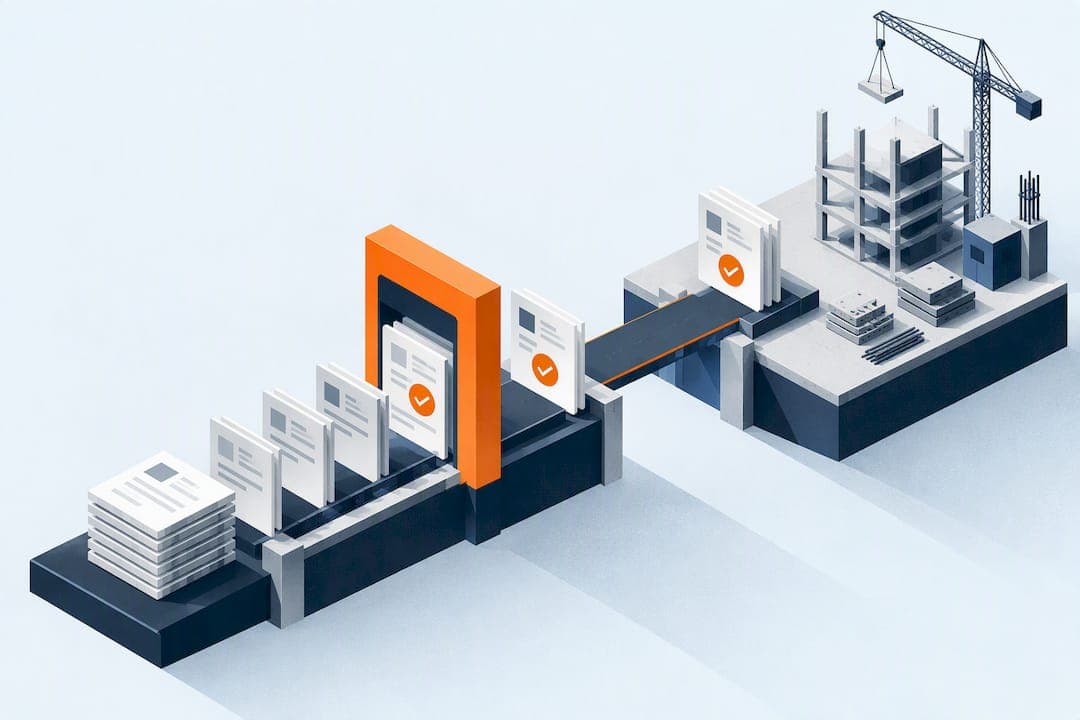
Construction workflow automation replaces manual document chasing and status checks with rules that trigger the right action automatically, leaving a recorded audit trail behind. The single highest-value place to start is document approvals and RFIs mapped into a Common Data Environment, because that one change shortens approval cycles and cuts rework caused by teams working from outdated drawings.
TL;DR:
- Automation of approvals and RFIs within a governed Common Data Environment can significantly shorten approval cycles from weeks to days and reduce rework caused by outdated drawings.
- Automating workflows with frequent handoffs and low-judgment tasks, such as document status updates and notifications, provides the fastest visible return on investment.
- Proper standardization of naming, metadata, and permissions is essential before starting automation, as inconsistent data is a major cause of pilot failure.
- Governance features like state gates, access controls, and audit trails ensure automation remains auditable and prevents unapproved documents from progressing.
- Starting with document approval and RFI automation is recommended for immediate benefits, with a pilot lasting about one month to measure success before scaling up.
Table of Contents
- What construction workflow automation actually means
- Which workflows to automate first: a prioritisation framework
- Core applications: what this looks like on a real project
- Planning and implementing automation: a step-by-step playbook
- Governance, CDE and ISO 19650: keeping automation auditable
- Scaffold workflows: a practical example using Scaffold-er
- Where to start today
- Where automation projects usually go wrong
- Getting started with Scaffold-er for scaffold automation
- Selected sources and further reading
- FAQ
What construction workflow automation actually means
Construction workflow automation is a set of triggers, rules and actions that move information between people without someone chasing it manually, with every step logged for audit. A trigger might be a drawing reaching "for approval" status; the rule routes it to the named approver; the action updates status and notifies the next person in the chain.
This differs from general project management software, which stores tasks and files but usually needs a person to decide what happens next. Automation removes that decision point for repeatable, low-judgement steps: status changes, notifications, reminders and routine reporting. A Common Data Environment adds the governance layer that makes this safe, enforcing who can see and approve what, and when a document is fit to move forward.
The enabling technologies behind most of this are familiar:
- BIM models that carry metadata usable as automation triggers.
- APIs connecting design tools, CDEs and site apps so status changes propagate automatically.
- Robotic process automation (RPA) for repetitive data entry between systems.
- AI-assisted review, increasingly used for searching technical information and drafting or checking documents, as the NBS Digital Construction Report 2025 describes.
None of this replaces judgement calls. It removes the manual labour around them.
Which workflows to automate first: a prioritisation framework
Not every process deserves automation on day one. Score candidate workflows against five criteria: how often the process runs, the cost of getting it wrong, how many handoffs it involves, whether it carries regulatory or contractual exposure, and how dependent it is on clean, structured data.
- Approvals and transmittals, because they run constantly and errors here cascade into rework.
- RFIs and issue tracking, since delays here stall trades waiting on answers.
- Scheduling alerts, tied to milestones and dependencies that shift daily.
- Daily logs and time capture, high-frequency, low-complexity, easy first wins.
- Basic finance handoffs, such as approved variations flowing to invoicing.
Set an acceptance threshold before you pilot anything: define what "quick win" looks like in hours saved per week or days shaved off an approval cycle, and agree it with the team running the pilot, not after the fact.
Pro Tip: Pick the workflow with the most handoffs and the least judgement required. That combination gives you the fastest, most visible return.
Core applications: what this looks like on a real project
The clearest automation wins sit in document control. A Common Data Environment can enforce the ISO 19650 status progression, from Work in Progress to Shared to Published, so a document cannot reach Published without a recorded approval. That single rule stops site teams working from a superseded drawing.

RFIs benefit from the same logic: automatic routing to a named accountable owner, with SLA-based reminders escalating when a response is overdue. Reporting follows the same pattern, scheduled progress reports, compliance packs and transmittals generated on a set cadence rather than compiled by hand each week.
Field applications extend automation to site level:
- Digital checklists that flag incomplete inspections before work proceeds.
- Photo-stamped records attached automatically to the relevant task or handover.
- Daily logs and time capture synced to the office in real time rather than at week's end.
- BIM-triggered schedule updates, where a model change flags a downstream programme conflict.
Structured, rule-based approval automation within a properly governed CDE can shorten approval timelines from weeks to days and reduce rework linked to outdated drawings, according to practical guidance on ISO 19650-aligned CDE design. That single change in approval speed is often enough to justify the wider automation programme on its own.
Planning and implementing automation: a step-by-step playbook
Automation projects fail most often because teams skip the unglamorous groundwork. Follow this sequence rather than jumping straight to tool selection.
- Map existing workflows using a simple swimlane diagram or process map, documenting every handoff, decision point and delay.
- Standardise naming, metadata and permissions before automating anything, aligning file names, revision codes and status fields with ISO 19650 principles so a rule engine can read them consistently.
- Select one pilot workflow and define success criteria upfront: time saved, rework incidents avoided, response times shortened.
- Configure the automation using webhooks, APIs or no-code triggers, starting with the narrowest version of the rule that still delivers the benefit.
- Train by role, not by tool, so the site visualiser, the client approver and the information manager each know exactly what changes for them.
- Run the pilot, collect metrics, iterate, then scale to the next workflow only once the first is stable.
Pro Tip: Automating a process that nobody has standardised just accelerates the chaos. Fix the naming and metadata first.
Skipping step two is the single most common reason pilots stall: a rule engine cannot make consistent decisions on inconsistent data.
Governance, CDE and ISO 19650: keeping automation auditable
Automation without governance is a liability, not an efficiency gain. A Common Data Environment built around ISO 19650 states, gates and traceability turns automation into something auditable rather than opaque. Each transition, from Work in Progress to Shared to Published, should require a recorded approval decision before the system allows it, so "Published" can never mean "someone forgot to check."
Naming conventions, revision codes and status metadata are not paperwork, they are what makes the automation rules reliable. A rule that reads a status field is only as good as the discipline behind that field.
- State gates stop unapproved documents reaching site.
- Access control limits who can approve or publish, reducing accidental release.
- Transmittal records create a defensible audit trail for handover.
- Automatic validations flag missing metadata before a document can progress.
A correctly structured CDE aligned with ISO 19650 enforces these states and produces the traceability that shortens approval cycles and reduces rework, as the Autodesk community guidance on CDE design sets out. Treat the CDE as a process engine rather than a file store: encode the state transitions into the system itself, so a document cannot skip a gate simply because someone is in a hurry.
Scaffold workflows: a practical example using Scaffold-er
Scaffold design and handover is a natural candidate for this kind of automation, because it involves exactly the handoffs that cause rework elsewhere: a designer produces a 3D plan, a crew builds from it, and any late change has to reach site before work starts. Scaffold-er combines a web-based 3D scaffold design tool with an on-site crew app so plan updates, checklists and site photos stay synchronised without a manual re-issue step.
A sensible pilot on a scaffold workflow would automate a small set of steps:
- Plan updates pushed to the crew app the moment a design revision is approved.
- Crew scheduling notifications tied to deployment dates.
- Checklist enforcement before a scaffold is signed off as safe to use.
- Photo-stamped handovers attached automatically to the job record.
Metrics worth tracking during that pilot include time to deploy from design approval, errors caught before handover, and the completeness of the handover record itself.
Where to start today
Start with document approval and RFI automation inside a governed Common Data Environment: it touches every project and delivers the fastest measurable return. Take three actions this week: map one recurring workflow end to end, run a one-month pilot with a defined success threshold, and measure the result before deciding what to automate next. Put the governance model in place before you scale, not after.
Where automation projects usually go wrong
The most common mistake is automating a process nobody has standardised yet: inconsistent naming and missing metadata turn a rule engine into a source of confusion rather than relief. A close second is skipping training, teams revert to email the moment a new tool feels unfamiliar under deadline pressure.
When assessing a supplier, prioritise integration depth, governance features and mobile readiness for site crews over a long feature list. A tool that cannot enforce a status gate or work offline on site will not survive contact with a live project.
— Nik
Getting started with Scaffold-er for scaffold automation
Scaffold-er applies this same logic specifically to scaffold design and handover, where a design change that does not reach the crew in time causes exactly the kind of rework this article has been describing. The platform pairs a web-based 3D scaffold design tool with a crew-facing app, so plan revisions, checklists and site photos update in one place instead of being re-sent by hand.

If you are evaluating it, ask on a demo to see:
- Plan-to-crew update speed, from design approval to the app showing on site.
- Checklist enforcement before a scaffold handover is marked complete.
- Photo-stamped handover records and how they attach to the job file.
- Crew scheduling notifications and how conflicts are flagged.
Full capability details sit on the 3D scaffold design and crew scheduling page, and current subscription tiers and pricing information are listed on the pricing page. Book a demo to see how the design-to-handover flow works on a project like yours.
Selected sources and further reading
- The 2025 AEC Tech Industry Research Report covers cloud and SaaS adoption trends and AI integration into BIM workflows.
- The NBS Digital Construction Report 2025 tracks sector-wide AI adoption and everyday practical use cases
FAQ
What is the best ERP for construction?
There is no single best system: the right ERP depends on project size, whether you need deep BIM integration, and how your finance and scheduling data need to connect. Evaluate any candidate against how well it supports ISO 19650-style document states and how easily it integrates with your existing Common Data Environment.
What are the 7 stages of a construction project?
Common frameworks describe stages roughly as initiation, planning and design, pre-construction, procurement, construction, handover and closeout, though naming conventions vary between organisations. Each stage generates its own approval and documentation workflows that are candidates for automation.
What are examples of workflow automation?
Typical examples include automated approval routing in a Common Data Environment, RFI escalation with service-level reminders, scheduled progress reporting, and automatic transmittals triggered by a status change. Field examples include digital checklists and photo-stamped records captured through a mobile app.
What are some examples of automation in construction?
Beyond document control, construction teams automate daily log capture, time tracking, scaffold plan-to-crew updates, and BIM-triggered schedule alerts when a model change affects the programme. The common thread is removing a manual handoff between people who would otherwise chase each other by phone or email.
How does automation reduce rework on site?
Automation reduces rework mainly by stopping crews working from outdated drawings, since a governed Common Data Environment will not let a document reach Published status without a recorded approval. Structured CDE workflows aligned with ISO 19650 principles are built specifically to close that gap.